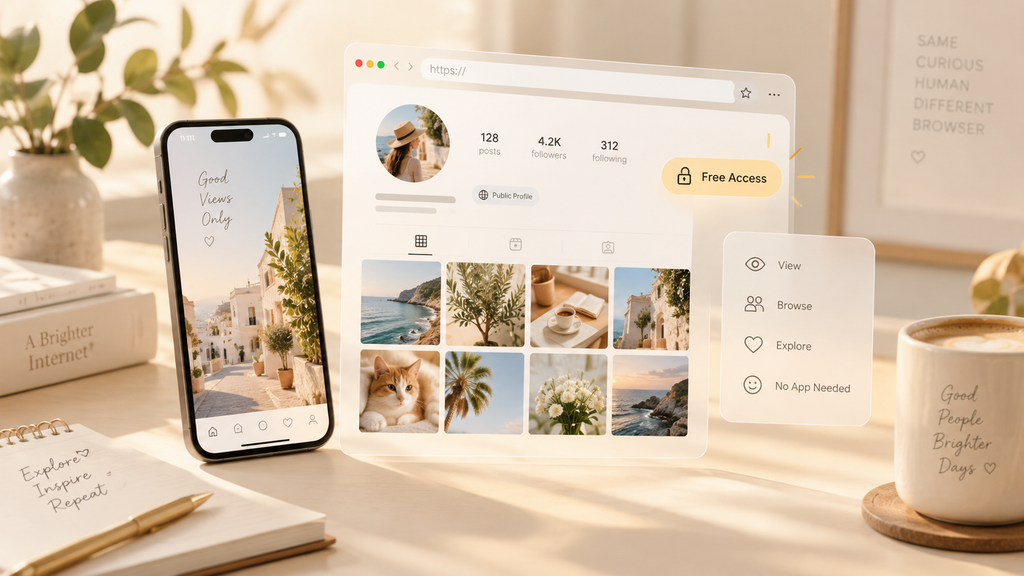
So you’ve never used one of these before. Fair enough, most people haven’t until the exact moment they need one, usually because they’re trying to look at a public profile without opening the actual app. The idea of a free Instagram viewer sounds simple on the surface: type a username, look at a profile, move on with your day. Mostly, it is that simple. But “free” tends to come with fine print nobody bothers reading until something feels a little off, and this corner of the internet is no exception. Consider this your walkthrough, not a sales pitch, just what to actually expect and where beginners tend to trip up.
Chapter 1: What You’re Actually Dealing With
A free Instagram viewer is, at its core, a website or app that lets you look at public Instagram content, posts, bios, sometimes Stories, without opening Instagram itself and often without logging in at all. Picture a free Instagram viewer as a side door into the same public stuff Instagram already shows anyone who isn’t following an account. Nothing hidden, nothing exclusive, just a different way of getting to it.
Here’s the part beginners skip past too fast: “free” doesn’t mean one thing. Some tools are free because they’re genuinely simple and ad-supported, no catch, no upsell. Others use “free” purely as the hook, then nudge you toward a paid tier the moment you try anything past the basics. Neither is a scam exactly, but knowing which flavor you’re dealing with saves you a headache about five minutes in.
Chapter 2: What This Thing Will and Won’t Do
Let’s set expectations early, because this is where most people end up disappointed. A free Instagram viewer lets you browse public content. Full stop. That’s the ceiling. It won’t get into a private account. It won’t tell you who’s been checking your own profile. It won’t hand you anything Instagram itself keeps locked behind a login.
What it will do, when it’s working properly, is lay out public posts, bios, and sometimes Highlights or Stories in a way that’s a little cleaner than scrolling the app, sometimes without asking you to sign into anything at all. That’s a small, honest function, and walking in expecting exactly that, nothing more dramatic, is what separates a decent first experience from a frustrating one. Most of the disappointment people report traces straight back to expecting a private-account bypass or a hidden visitor list, neither of which exists, no matter which free tool you try.
Chapter 3: The Part Beginners Usually Miss
Free tools have to make money somehow, so here’s the honest rundown of how.
Ads are the most common route. You get the feature, the site gets ad revenue. Usually fine, sometimes annoying depending on how heavy-handed the site gets.
Data collection happens more often than people assume. Even a tool that never asks for your Instagram login might still be quietly logging your searches or your IP address on its own end. Worth a quick skim of a privacy policy before settling in with any tool, free or otherwise.
Upsells are just business. Plenty of “free” tools cap what you can actually do until you pay, which is a legitimate model, just an annoying surprise if you weren’t braced for it. The same advice applies when considering paid services. For example, readers can check the official Peekviewer website to review its features and subscription conditions before deciding whether it suits their needs.
And then there’s the one actually worth caring about: login requests. A tool built for anonymous browsing has no real reason to want your Instagram password. If one’s asking for it anyway, it’s either not doing what it claims, or it’s not really the kind of tool you thought you were using.
None of this makes free tools shady by default. It’s just how “free” tends to work everywhere, a free email account or a free note-taking app funds itself somehow too. Knowing that upfront just means fewer surprises twenty minutes in.
Chapter 4: Getting Started Without Overthinking It
Keep your first try low-stakes. Pull up a profile you already know well, your own, a friend’s, a brand you follow, and run it through a free Instagram viewer before trusting it with anything you actually care about getting right. That gives you a feel for the layout, the loading speed, and how many ads you’re wading through, before it matters.
Pay attention to what the tool asks for upfront. A legitimate one needs basically nothing from you but a username. If the sign-up starts asking for more, personal details, account access, payment info on something supposedly free, that’s your cue to close the tab and look elsewhere.
Chapter 5: Mistakes Almost Everyone Makes the First Time With a Free Instagram Viewer
Assuming free means barely functional. Plenty of free tools genuinely do the job well. Price tag isn’t a reliable stand-in for quality here.
Assuming free means no strings attached. Something’s always funding it, ads, data, or an upgrade path waiting a few clicks in.
Trying it on a private account first, then being confused when it doesn’t work. It’s not broken, it’s just outside what any legitimate tool in this category can do, private is private, full stop.
Skipping past what permissions are being requested. A ten-second glance before agreeing to anything saves a lot of regret, especially anywhere near login credentials.
Expecting it to basically replace Instagram. It’s a lens for browsing public content more comfortably, not a full stand-in for the app, and treating it that way just sets you up to feel let down by something that was never built to go that far.
Chapter 6: A Few Terms Worth Knowing
Public content is anything visible to people who don’t follow the account. It’s the entire reachable universe here.
Private content sits locked behind an accepted follow request, off-limits no matter what tool you’re using.
Session-free browsing just means looking at something without it getting tied to your own logged-in account.
Ad-supported describes a tool funded by ads instead of a paywall.
Freemium describes one with a limited free tier and paid upgrades sitting behind it.
Chapter 7: Once You’ve Got the Hang of It
Give a free Instagram viewer a few tries and you’ll naturally start noticing what actually matters to you, clean layout, minimal ads, fast loading, a site that’s upfront about what it does with your data. That shift is a good sign. It means you’ve stopped being new to the whole idea and started forming an actual opinion about what a decent version of this looks like versus a mediocre one.
There’s no rush to get there. The learning curve is small. Most people go from never having used one to knowing exactly what they want from one within a handful of tries, mostly because the fine print stops being a surprise pretty quickly once you know what to look for.